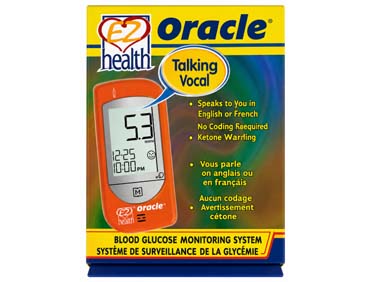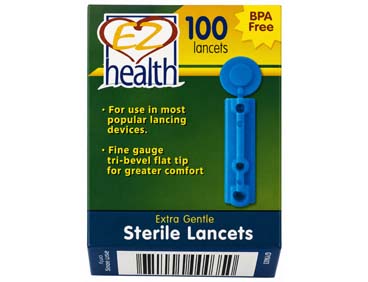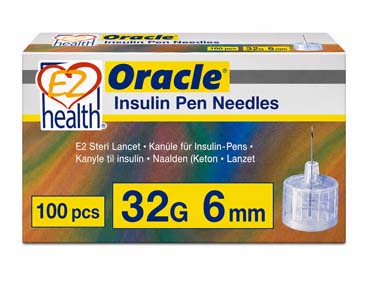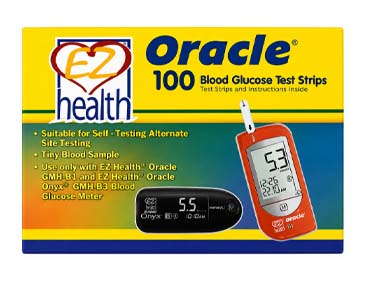
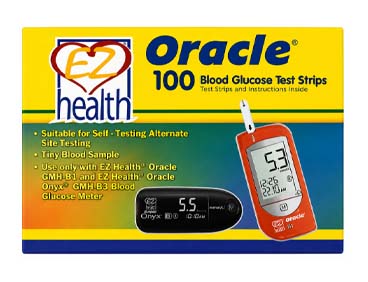
EZ Health® Oracle® Test Strips come in boxes of 100 for your convenience. Oracle® Blood Glucose Test Strips are specifically engineered for use with the Oracle® Blood Glucose Meter, helping to ensure accurate and reliable blood glucose testing.
EZ Health® Oracle® Test Strips come in boxes of 100 for your convenience. Oracle® Blood Glucose Test Strips are specifically engineered for use with the Oracle® Blood Glucose Meter, helping to ensure accurate and reliable blood glucose testing.
Chemical Composition
Glucose Oxidase: 10%
Electron Shuttle: 50%
Enzyme Protector: 8%
Non-Reactive Ingredients: 32%
Sample Type: Capillary whole blood from the fingertips, palm, forearm, upper arm, thigh, or calf.
Sample Volume: 0.7 µL
Reaction Time: 6 seconds
Measuring Range: 1.1–33.3 mmol/L
Precision: CV < 5%
Accuracy: Within ±15 mmol/L when glucose concentrations are ≤100 mmol/L, and within ±15% when glucose concentrations are >100 mmol/L.
Operating Conditions: 10°C–40°C, below 85% relative humidity.
Storage Conditions (Vial Package): 4°C–40°C, below 85% relative humidity.
Open-Vial Stability: 90 days after first opening.
Chemical Components
1. Glucose oxidase: 10%
2. Electron shuttle: 50%
3. Enzyme protector: 8%
4. Non-reactive ingredients: 32%
Sample Type: Capillary whole blood from fingertips, plam, forearm, upper arm, thigh or calf.
Sample Volume: 0.7μL
Reaction Time: 7 seconds
Measuring Range: 1.1 ~ 33.3 mmol/L
Precision: CV < 5%
Accuracy: within + - 15mg/dL when glucose <=100mg/dl, within + - 15% when glucose > 100 mg/dl.
Operation: 10℃ ~ 40℃, less than 85% humidity
Storage of Can Package: 4℃ ~ 40℃, below 85% humidity
Storage of Foil Package: N/A
Pack strip stability: 90 days after first opening
Please refer to the meter owner's manual for detailed operating instructions.
1. Insert the test strip fully into the meter, contact-bar end first.
2. Obtain a drop of blood according to the Sample Collection section.
3. Hold the blood drop against the absorbent hole of the test strip until the confirmation window is completely filled with blood.
4. The meter will count down and then display the test result.
5. Turn off the meter by removing the test strip.
6. Discard the used test strip safely.
Compatible with the Oracle® Blood Glucose Meter
No Coding Required
Alternate Site Testing – Allows testing at sites other than your fingertips
Tiny Blood Volume Requirement – Only 0.7 µL of blood needed for testing.
Fast 6-Second Results
🔥
| Size | Bust | Waist | Low Hip |
|---|---|---|---|
| XS | 32 | 24-25 | 33-34 |
| S | 34-35 | 26-27 | 35-36 |
| M | 36-37 | 28-29 | 38-40 |
| L | 38-39 | 30-31 | 42-44 |
| XL | 40-41 | 32-33 | 45-47 |
| 2XL | 42-43 | 34-35 | 48-50 |